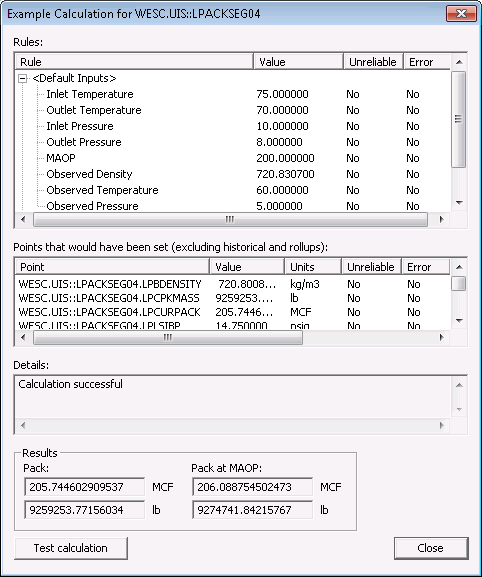
Rules can be tested using the Sample calculation button on the Line Pack page. This option will execute an Example Calculation using all the current rules and inputs configured for the pack segment. The test is run locally and will not affect the system.
Note: The Rules, Points, and Results listed in this dialog box differ depending on the contents of the pipeline; the examples on this page are for a liquids line pack system.
Click the following image to see an enlarged Example Calculation screen:
See the following subsections below for more information:
| Natural Gas | Supercritical CO2 | Liquids | ||||
|---|---|---|---|---|---|---|
| Results | Units | Results | Units | Results | Units | |
|
Primary Pack Calculation |
Volume for the segment |
MCF |
Mass for the segment |
lb |
Volume for the segment |
MCF |
|
Secondary Pack Calculation |
Volume converted to energy content for the segment |
BTU |
Measured or calculated density for the segment |
lb/ft3 |
Mass for the segment |
lb |
The Test Calculation is similar to the Sample Calculation feature except that it allows any input to be modified. All changes made on this screen have no external effect on the system; it is a simulated calculation.
Note: The Inputs and Results listed in this dialog box differ depending on the contents of the pipeline; the examples on this page are for a natural gas Line Pack system.
Click the following image to see an enlarged Test Calculation screen:
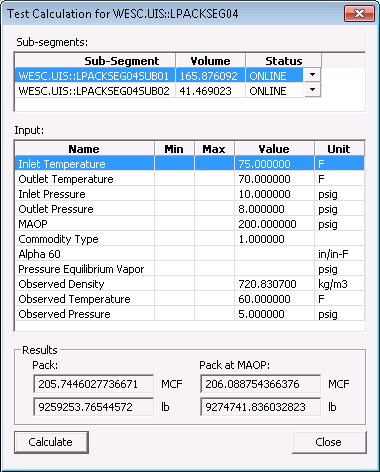
The Test Calculation feature can also be viewed via script. See the example shown below.
LPackEditor.SampleCalculation(DeviceId, PackSegmentTag)
| Parameter | Description |
|---|---|
|
DeviceId |
The device ID of the Line Pack device in the DDS. |
|
PackSegmentTag |
A facility tag for the pack segment to calculate. |
The following script example displays the Test Calculation dialog box:
|
Set lpackEditor = CreateObject("CxDdsEditors.CxDdsLPackEditor.1") lpackEditor.Connect "ACME4.DDS" lpackEditor.SampleCalculation "LPACK1", "ACME4.UIS::SEGMENT_1" |

|
|
|

